Check Your Internet Connection—and Remember Where It Works Best
Check your internet connection
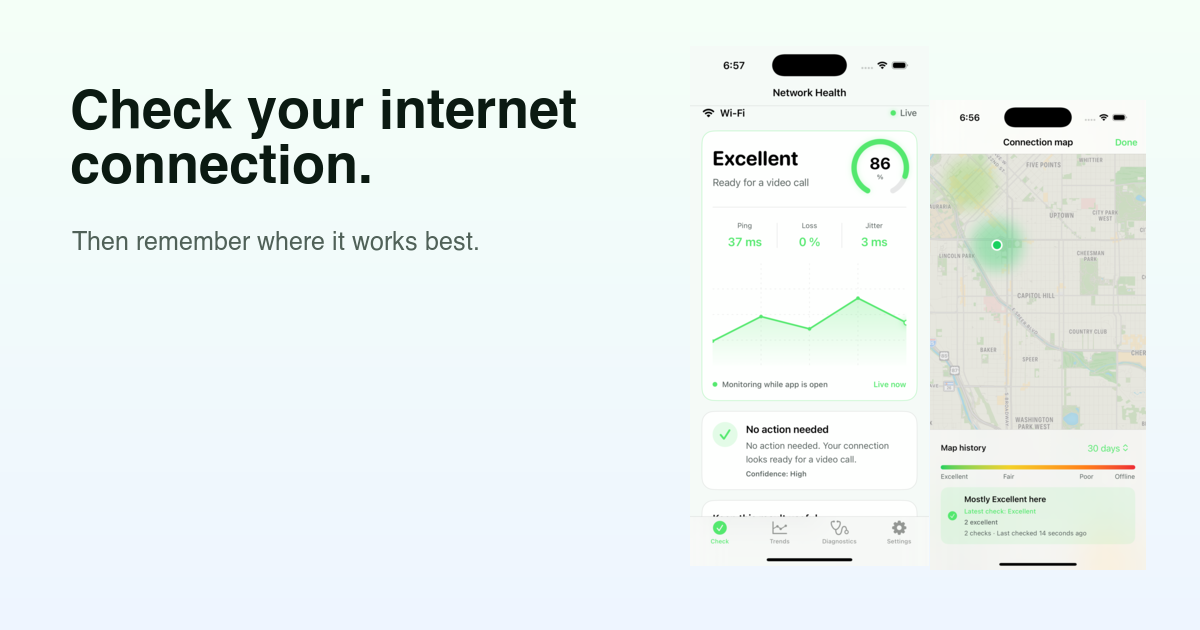
Healthy Network for iPhone and iPad has one simple job: check your internet connection. Run a short, best-effort check while the app is open to see current latency, jitter, packet loss, and stability in plain language.
The result explains what the evidence means and recommends one practical next step when conditions look degraded or inconclusive.
It is an estimate of general connectivity, not a guarantee that a particular calling, gaming, or streaming service will work perfectly.
See Healthy Network for iPhone & iPad →
Remember where it works best
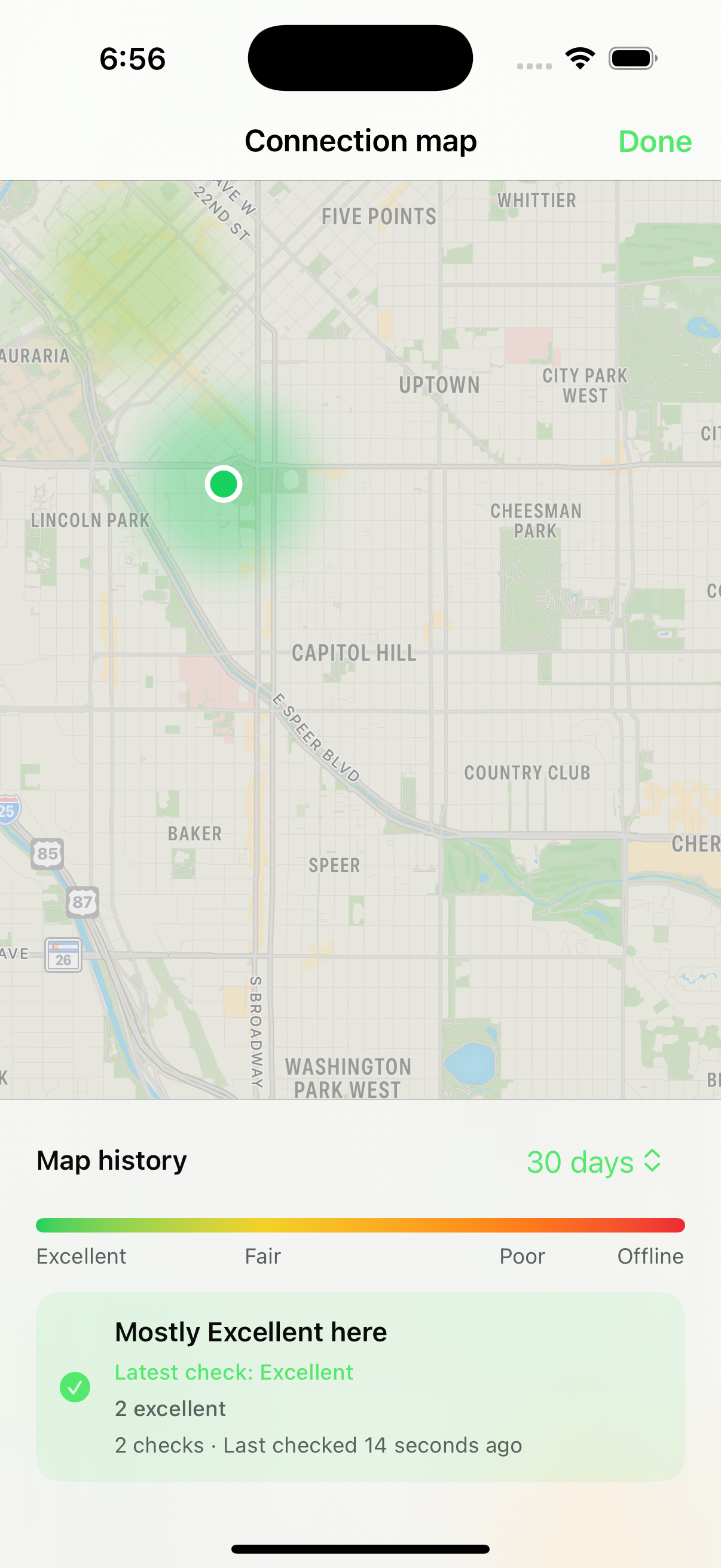
Connection quality changes from room to room and place to place, but a one-time result is easy to forget. When you choose to add approximate location, Healthy Network can turn eligible checks into a private connection map.
The heat surface shows where recorded checks were mostly Excellent, Fair, Poor, or Offline. Tap an area to compare its historical pattern with the latest check and see how many checks support the result.
Map history stays on your device during normal use. Choose 7-day, 30-day, 90-day, or one-year retention, and clear map locations without deleting the rest of your connection history. The map represents checks you performed—it is not continuous tracking, a Wi-Fi signal survey, or a promise of coverage everywhere around you.
Understand the evidence, then try one thing
Raw network numbers are useful only when they help you decide what to do next. Healthy Network explains the current result in plain language and recommends one focused action when conditions need attention.
Latency shows how long a round trip takes. Jitter shows how much that timing changes. Packet loss shows how much sampled traffic did not complete. Confidence and on-device history add context, so one unusual sample does not have to become a mystery.
On-demand diagnostics can add available router and path evidence. When the app cannot verify a router, it says Unknown instead of inventing an address.
Your speed test can be right while your call still fails
A speed test answers an important question: how much data can this connection move right now? Calls, games, and live streams depend on another question too: is the connection delivering data consistently?
A connection can have plenty of bandwidth and still suffer from delayed packets, changing latency, or small periods of packet loss. Those interruptions can sound like robotic audio, appear as a frozen camera, or make an otherwise fast connection feel unreliable.
That is why Healthy Network looks beyond one download number.
Honest about iPhone and iPad background limits
Checks repeat while Healthy Network is open. After the app moves to the background, iOS decides whether and when opportunistic background refresh runs. Healthy Network does not claim continuous background monitoring, and a background check is never guaranteed.
For a current answer before an important call, open the app and let the health check complete.
Private by design
No Healthy Network account is required. Mobile check history, settings, approximate locations you choose to add, and aggregate activation counters remain on your device during normal use. The iPhone and iPad app does not include an advertising tracker, in-app analytics SDK, or Sentry SDK.
The app makes short connections to public probe endpoints. Like an ordinary internet connection, those endpoints receive connection metadata such as your public IP address. The website uses separate analytics for aggregate traffic and outbound App Store clicks; it does not join website activity to an in-app identity.
$3.99 once, with every feature included
Healthy Network for iPhone and iPad is a $3.99 paid-upfront app. There is no subscription, Pro upgrade, or in-app purchase. Every feature in the submitted mobile app is included.
Healthy Network for Mac remains a separate $4.99 purchase with its own App Store listing.
Check your internet connection.
Get a current result now, then build your private connection map to remember which places you can depend on.

Results are best-effort estimates of general connectivity and do not guarantee the performance of a particular calling, gaming, or streaming service.