Know If Your Connection Is Ready—Before the Call
Healthy Network shows whether trouble starts on your Mac, router, or ISP—with live quality signals, guided diagnostics, and shareable proof.
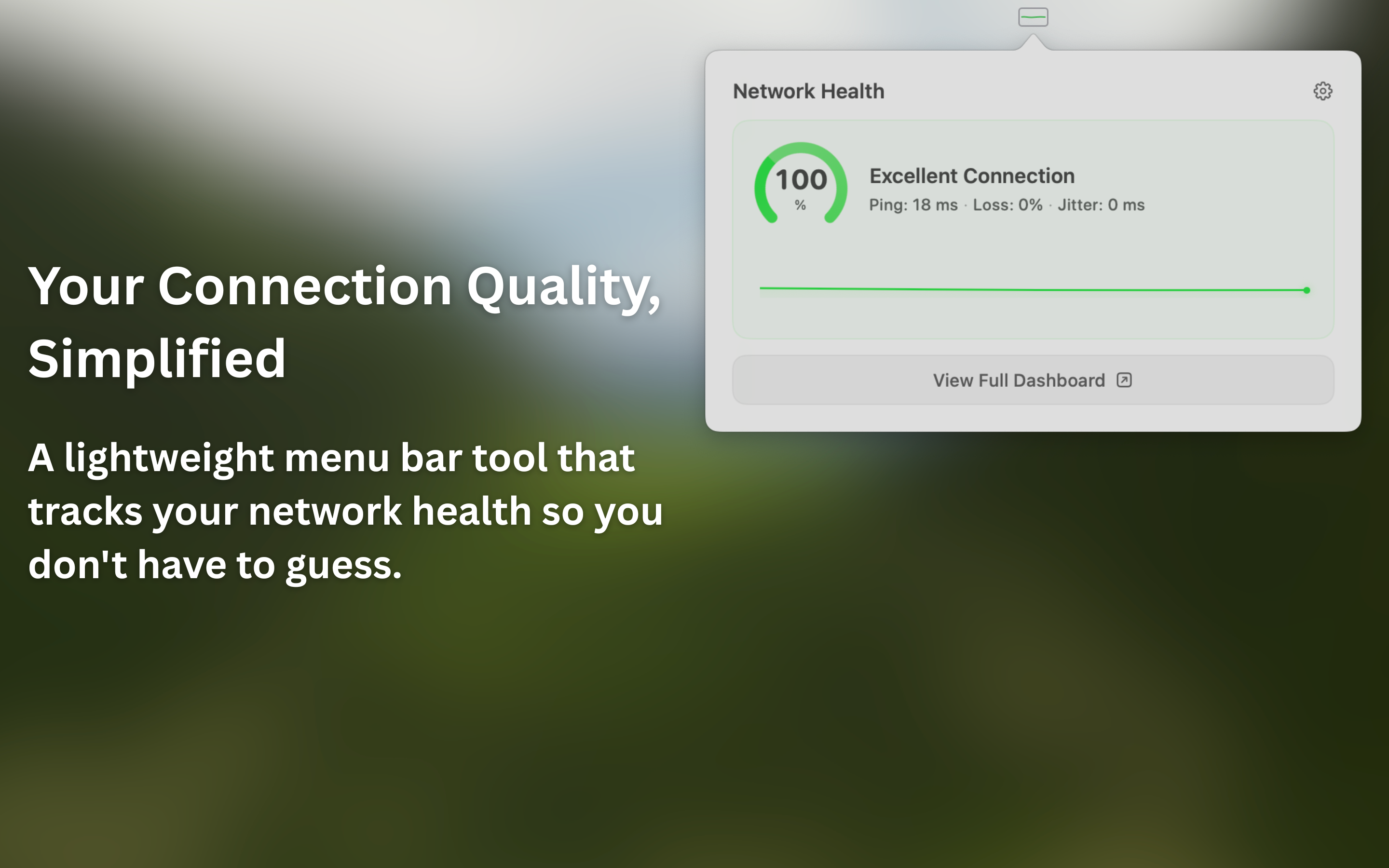
Healthy Network shows whether trouble starts on your Mac, router, or ISP—with live quality signals, guided diagnostics, and shareable proof.
You have gigabit internet, yet Zoom still freezes. Speed tests show 500 Mbps, but your voice sounds robotic. That's because bandwidth isn't quality.
Real-time apps need low latency, not just high bandwidth. A 200ms ping ruins video calls no matter your speed.
Even 1% packet loss causes audio glitches and video artifacts. Speed tests don't measure this continuously.
Inconsistent latency (jitter) is worse than consistently high latency. It causes stuttering and desync.
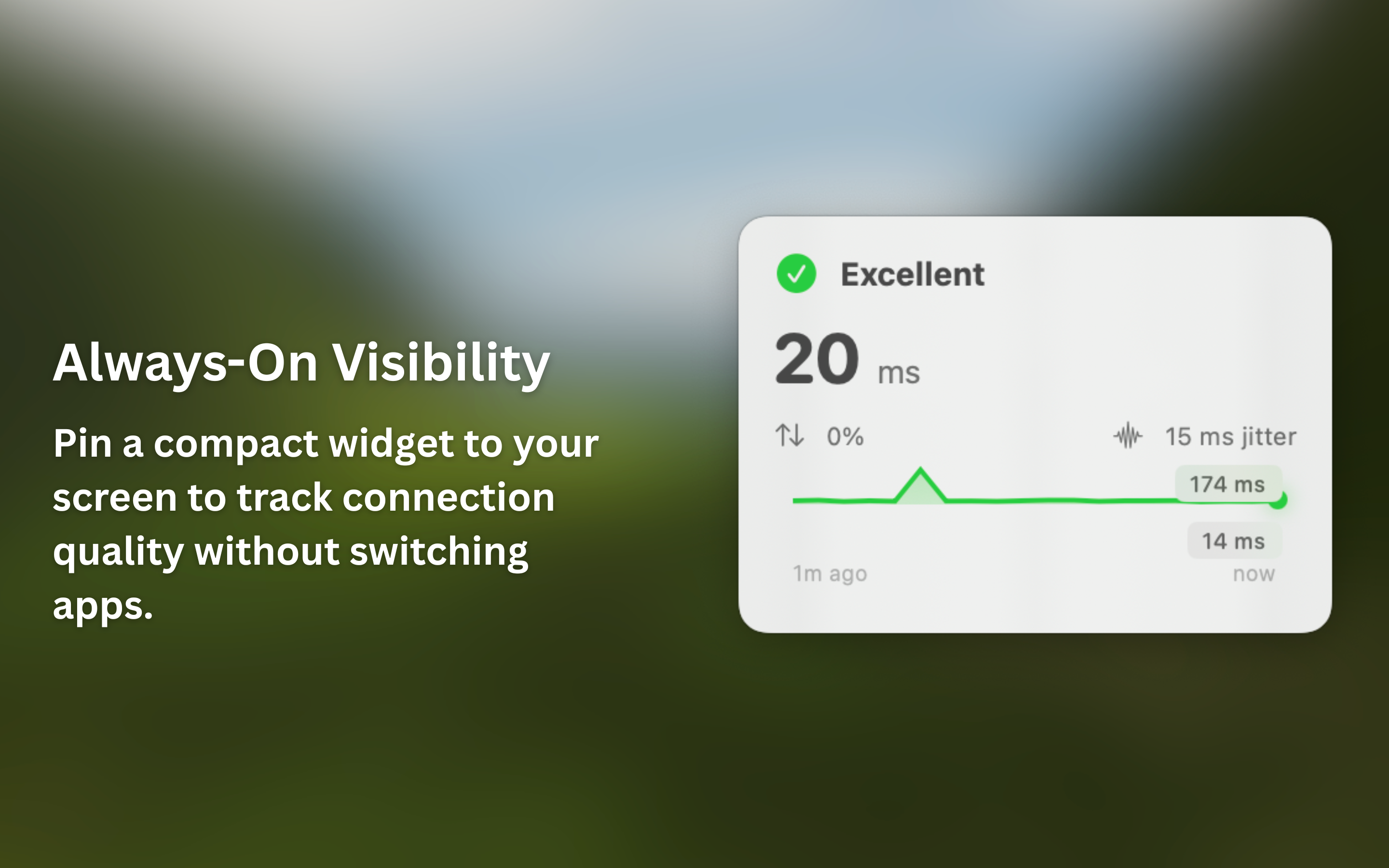
New in 1.3.0: floating mini HUD, activity suitability indicators, and refined diagnostics across every layer of your connection.
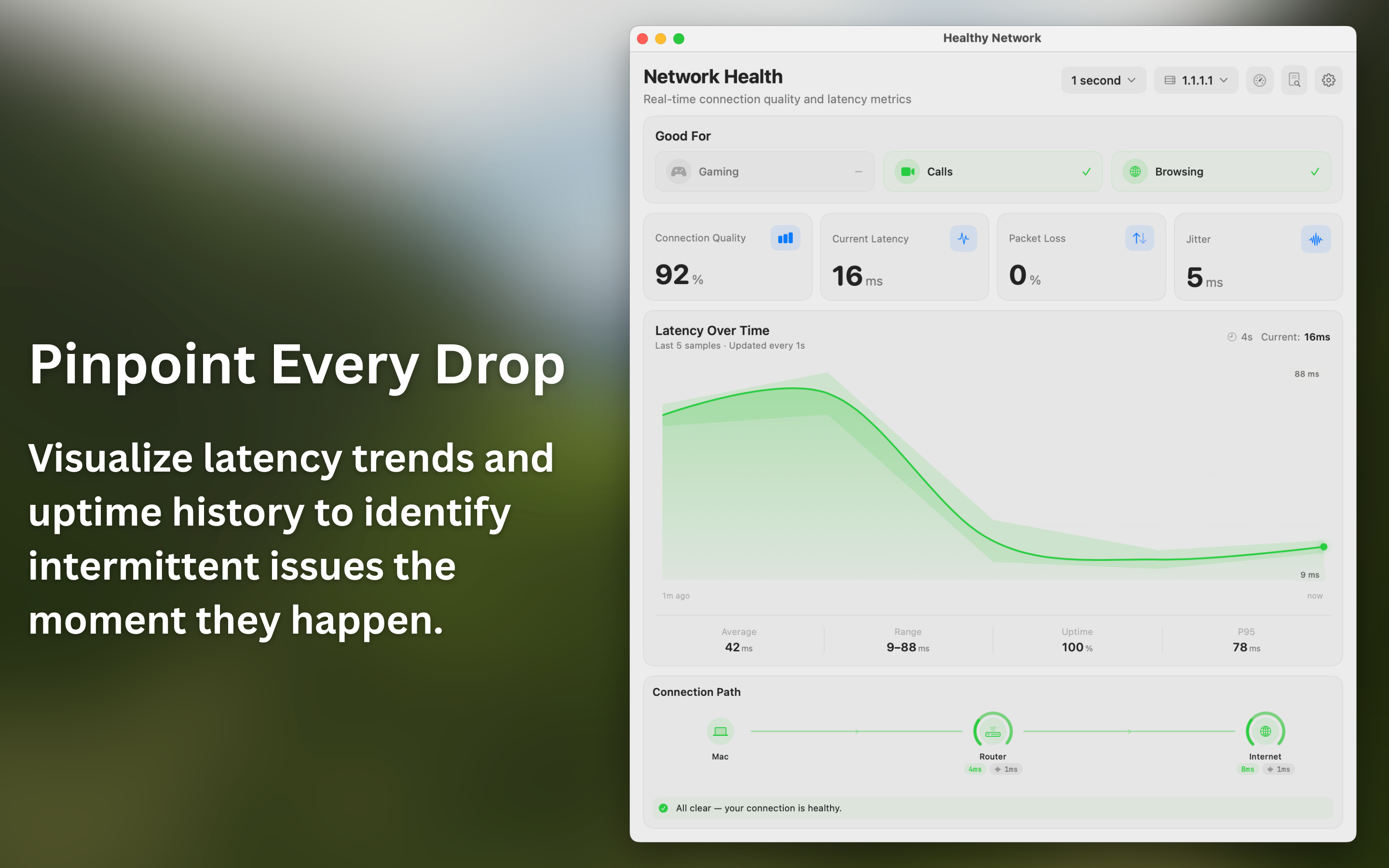
See confidence score plus gaming, video call, and browsing suitability at a glance. Know if your connection is ready before you go live.
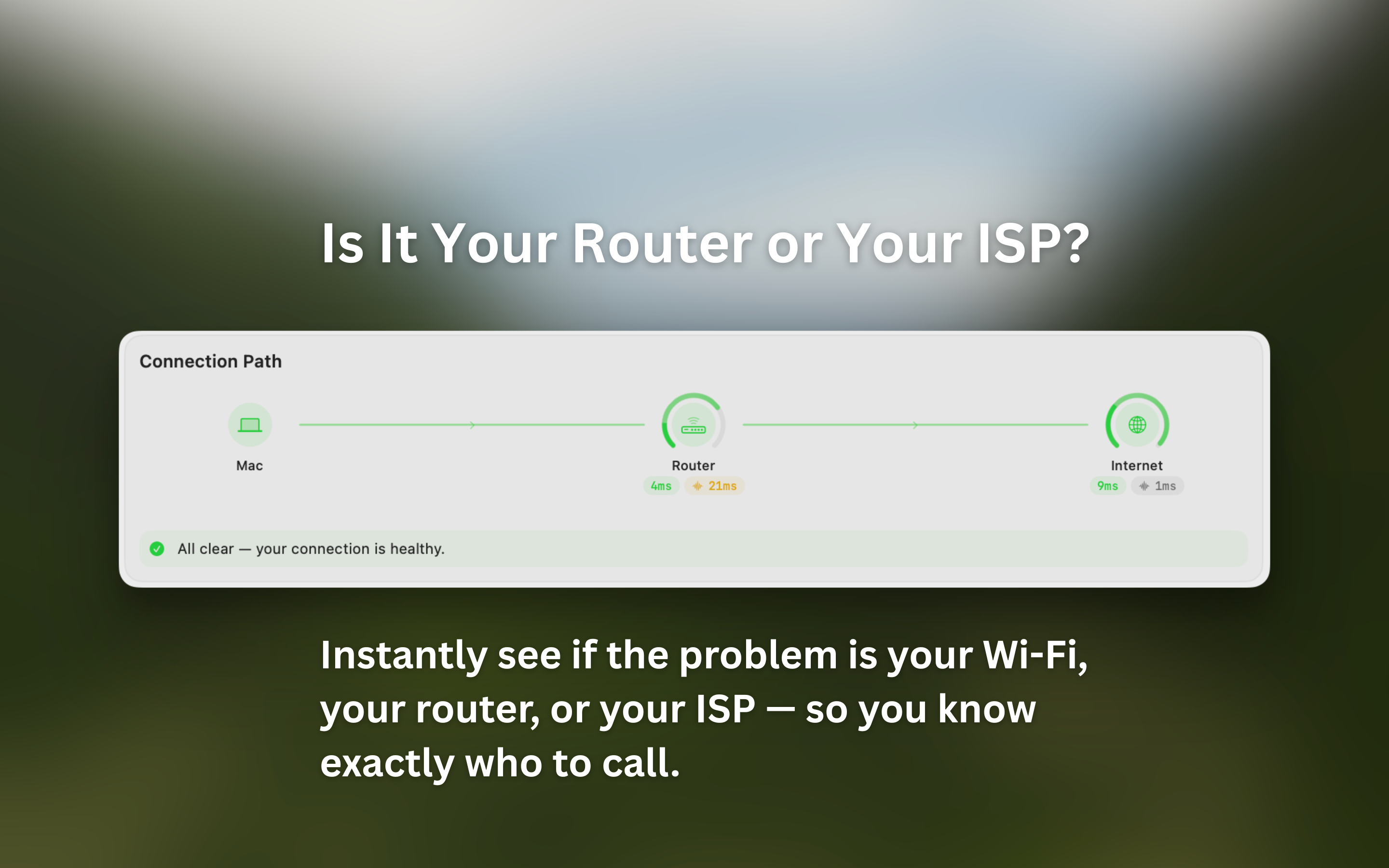
Break down quality across Mac, router, ISP, and internet segments so you can see where instability starts.
Measure gateway and destination latency with App Store-compliant probing to isolate local vs upstream network problems quickly.
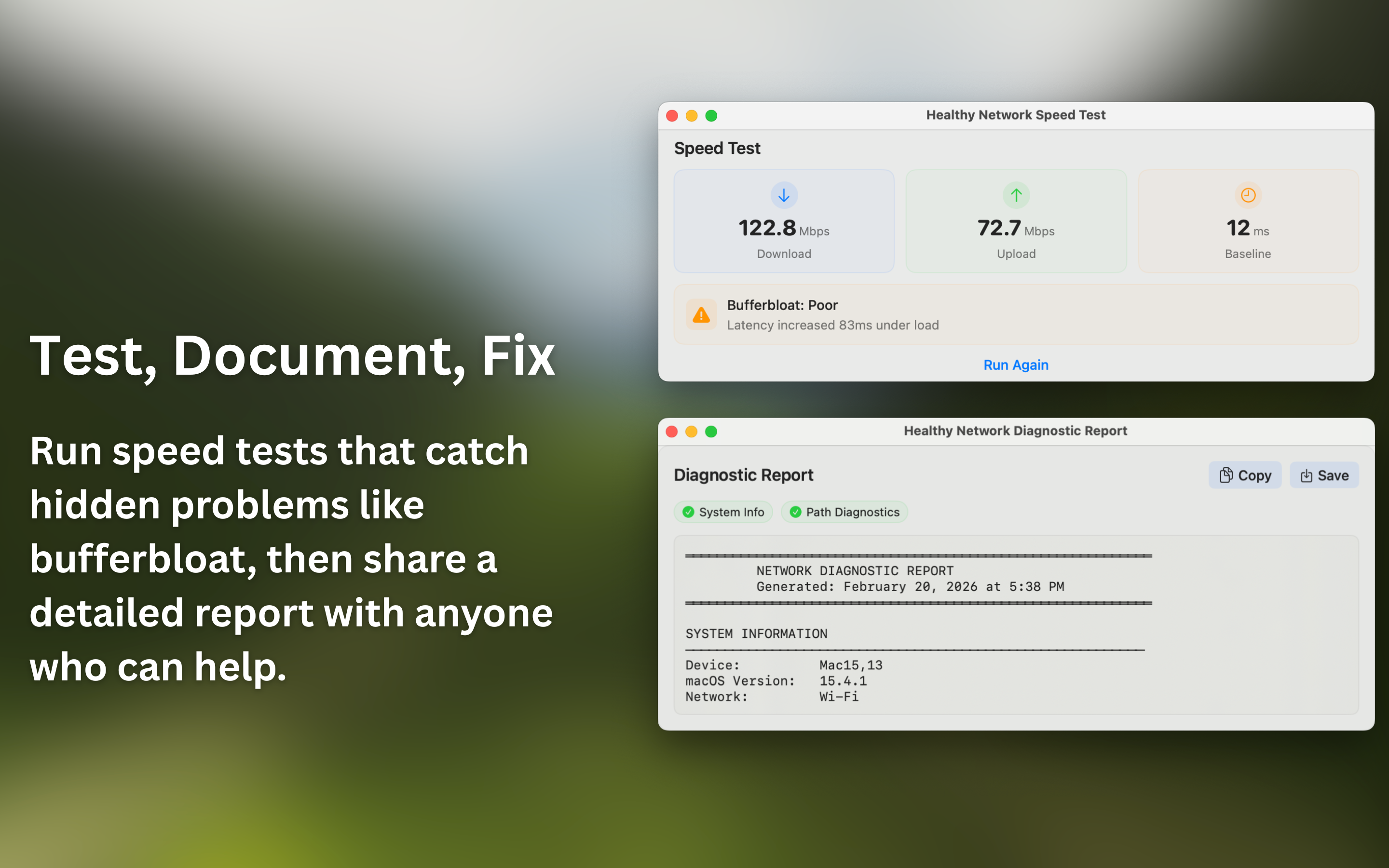
Run on-demand download and upload checks, then see how much latency spikes under load with a clear bufferbloat severity rating.
Generate plain-language reports from your current session and copy or save them for support tickets, incident notes, or team handoffs.
Use the compact panel for quick checks or open the full dashboard for deeper analysis, historical trends, and guided diagnosis.
Healthy Network is built with Swift and SwiftUI for macOS. It stays in the menu bar, keeps monitoring history on your Mac, and opens deeper diagnostics only when you need them.
App monitoring history stays local on your Mac. This website uses analytics, and app crash telemetry is privacy-scrubbed. See the Privacy Policy for full details.
Real-time network monitoring that stays out of your way until you need it.
My daughter Zully was trying to join her Spanish class on Zoom. The connection kept dropping. Audio cutting out, video freezing, her teacher's voice disappearing mid-sentence. She couldn't keep up with the lesson, and eventually she just couldn't participate at all.
The speed test said everything was fine. It wasn't.
That's the moment Healthy Network started. I built it because the tools we had couldn't show us what was actually wrong with our connection. No kid should miss out on learning because of a problem nobody can see.
One price. Yours forever. No subscriptions.
Straight answers
Healthy Network measures connection quality. It does not promise that every service will behave perfectly, but it gives you evidence a one-time speed test misses.
Bandwidth is only capacity. Calls also depend on latency, jitter, and packet loss—how quickly and consistently data arrives. Healthy Network monitors those signals over time.
Connection Path and Route Diagnostics compare local gateway and internet evidence to help isolate where instability begins. Some network configurations, VPNs, and privacy tools can limit what is observable.
No. Monitoring history and saved reports remain local unless you choose to share a report. The Mac app sends privacy-scrubbed crash and operational diagnostic telemetry to Sentry; it does not contain advertising trackers.
Yes. Healthy Network is a universal app for Apple Silicon and Intel Macs running macOS 13 Ventura or later.
See if your connection is ready, find where trouble starts, and keep evidence you can share.
Version 1.3.0 adds a floating mini HUD, activity suitability indicators, plus all the diagnostics and speed testing from 1.2.

Requires macOS 13.0 (Ventura) or later